Features
Explore what UDDF Dive Viewer can do for you
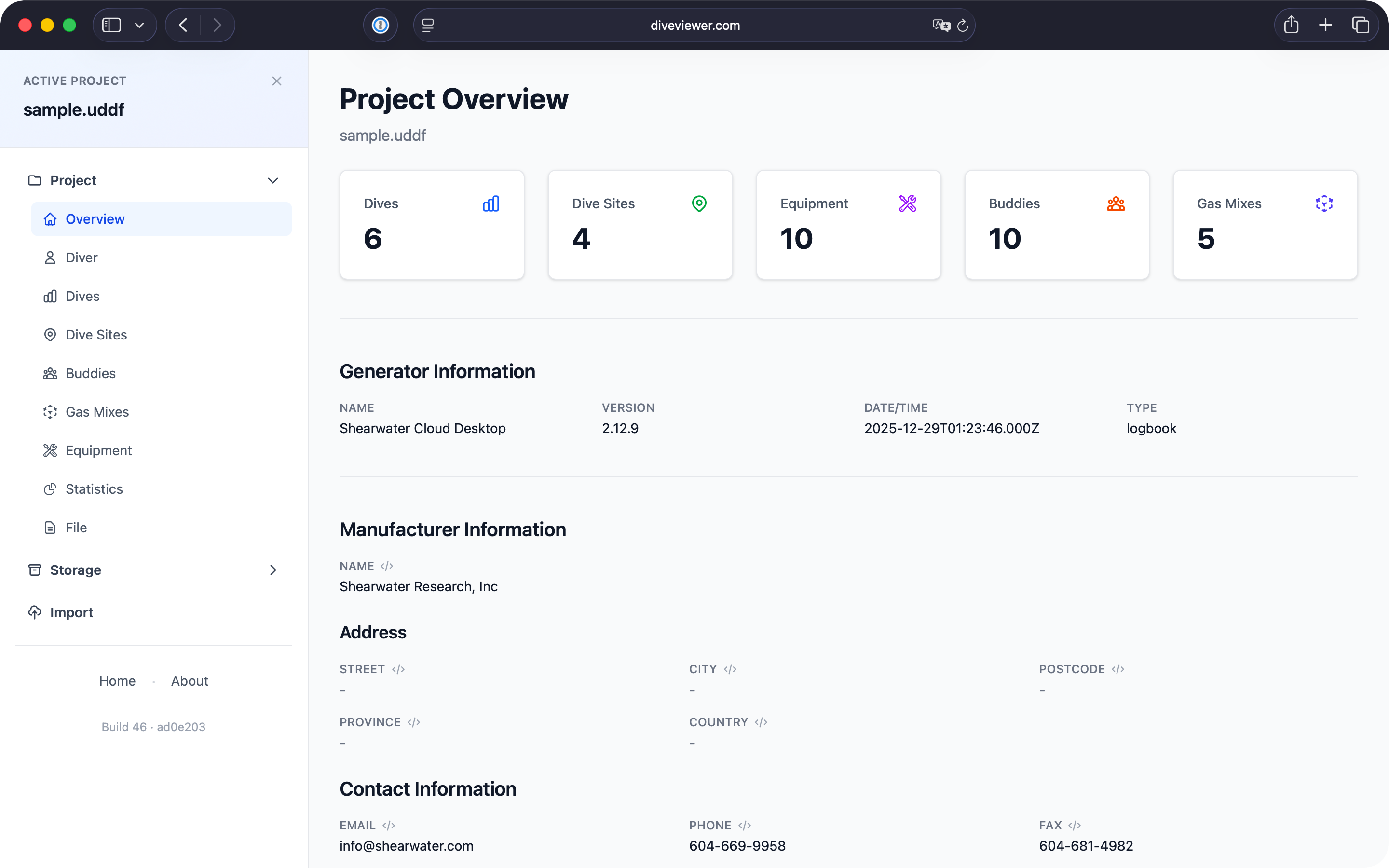
Project Overview
Get a comprehensive overview of your dives with key statistics: total dives, dive sites, equipment items, buddies, and gas mixes, from your UDDF file.
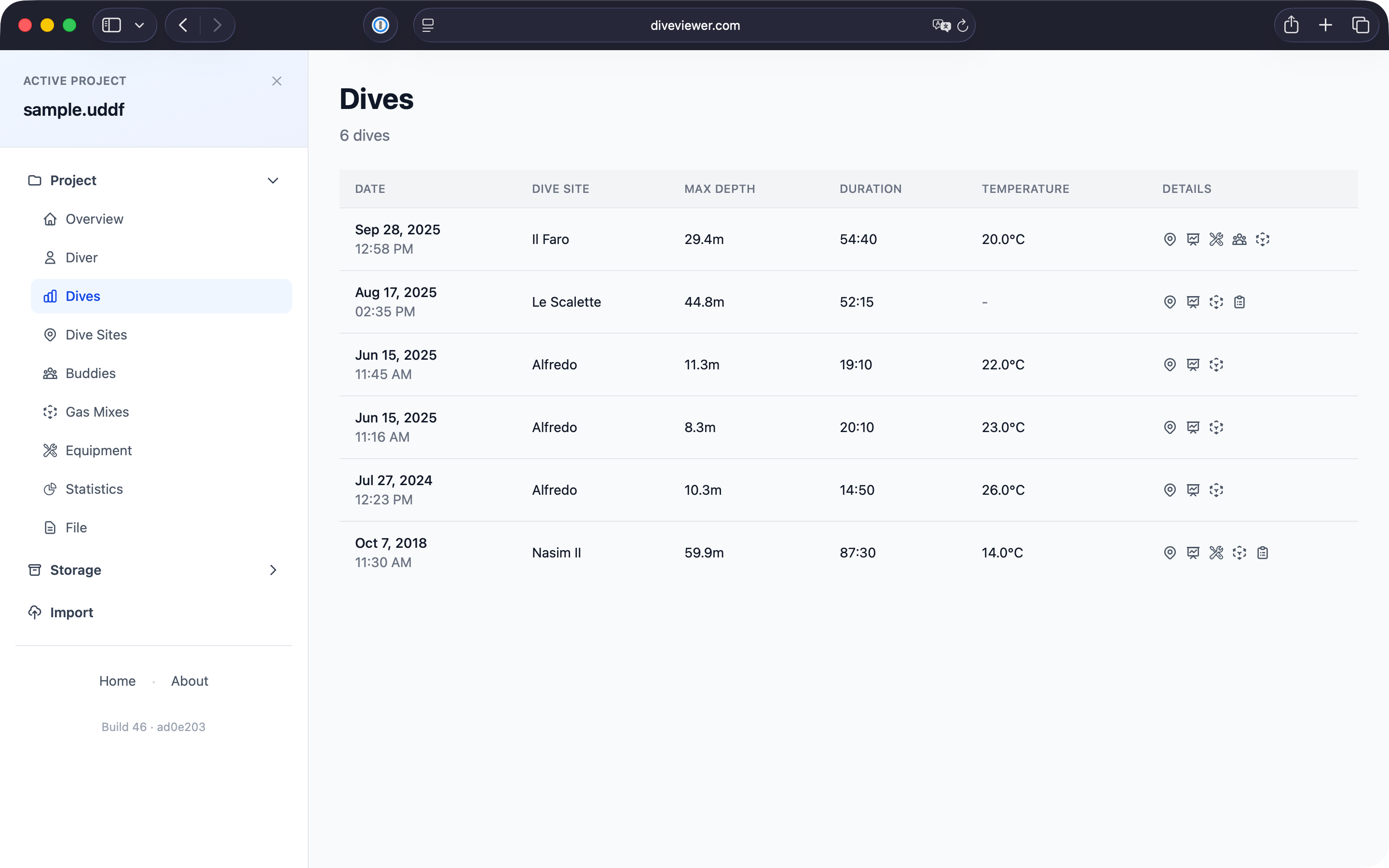
Dive Log
Browse all your dives in a clean table. See date, dive site, maximum depth, duration, and temperature at a glance. Click any dive to view its full details.
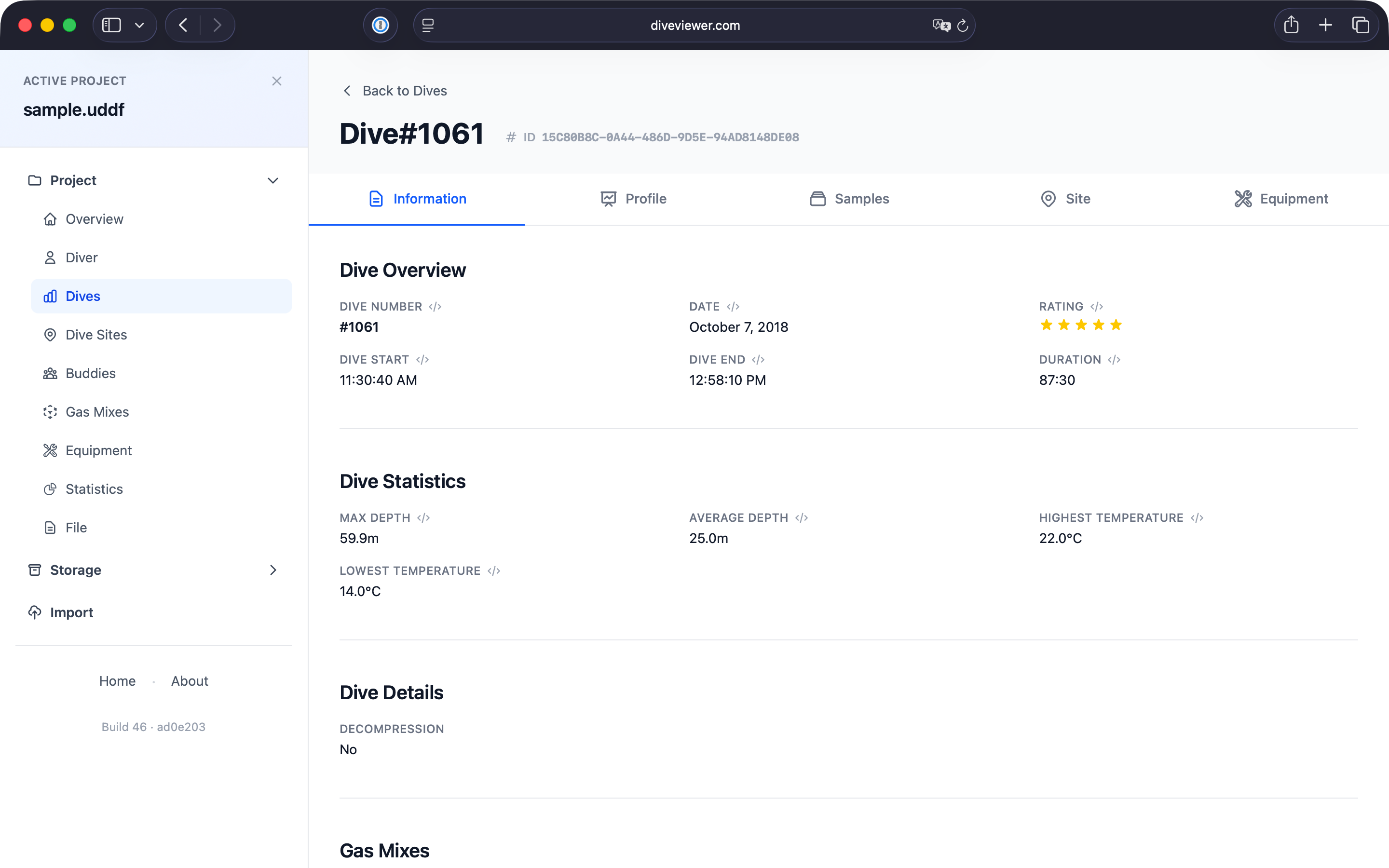
Dive Information
Access detailed information for each dive including dive number, date, duration, depth statistics, temperature range, and rating. See all gas mixes used during the dive.
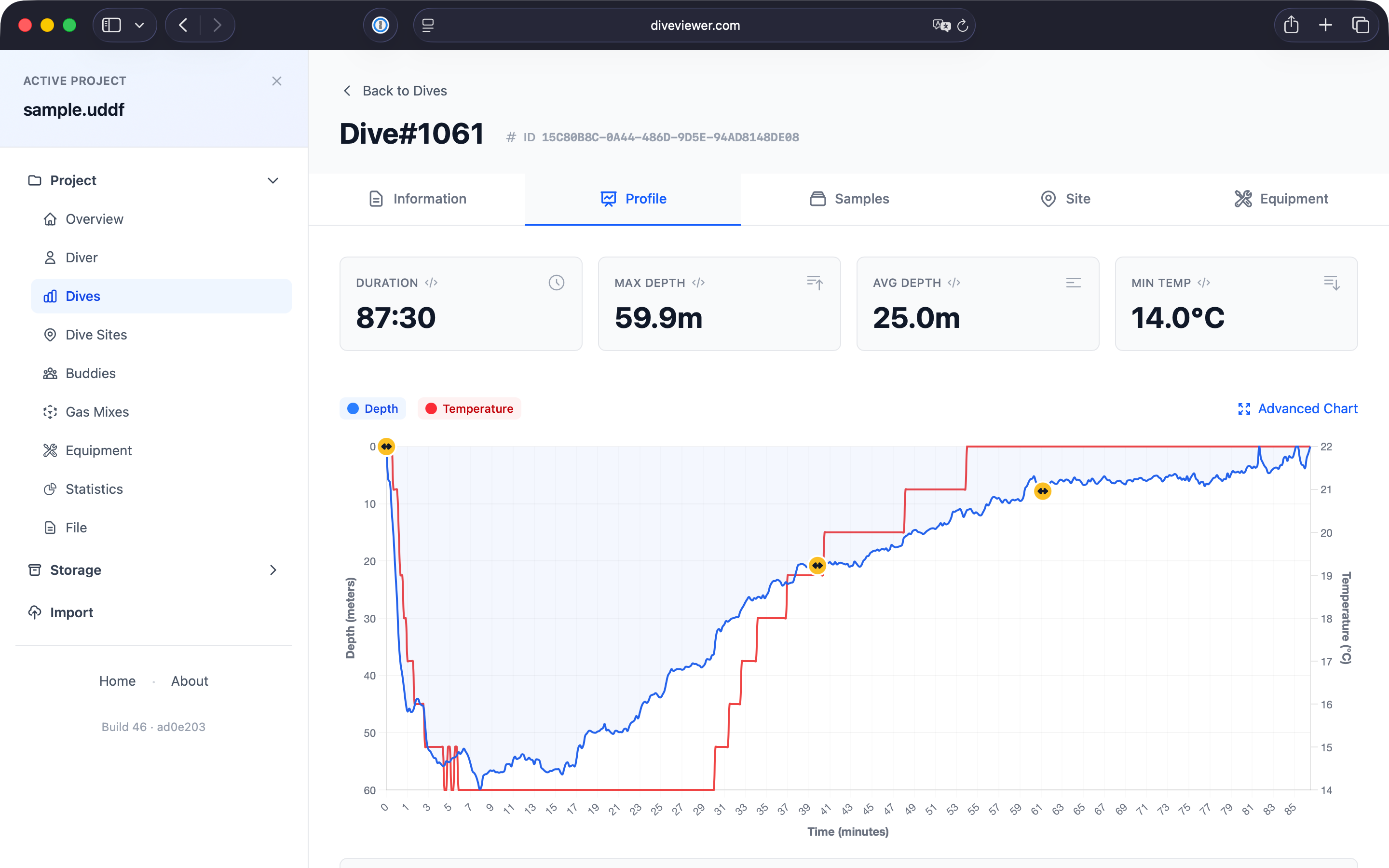
Dive Profile
Visualize your dive with an interactive depth and temperature profile chart. See gas switches, ascent/descent rates, and how conditions changed throughout your dive.
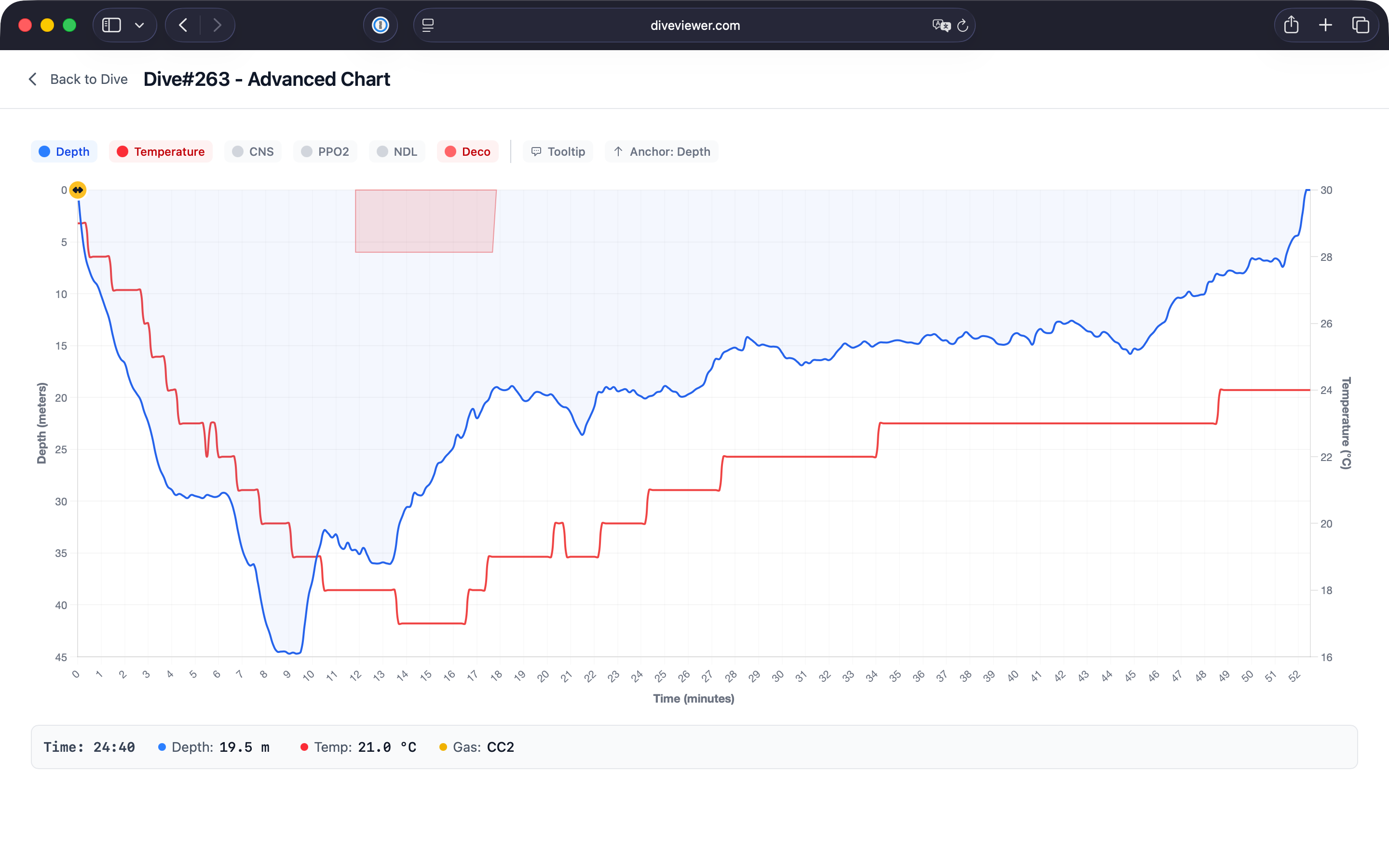
Advanced Charts
Dive deep into your data with full-screen advanced charts. Overlay multiple data series including depth, temperature, CNS, PPO2, and NDL with interactive tooltips.
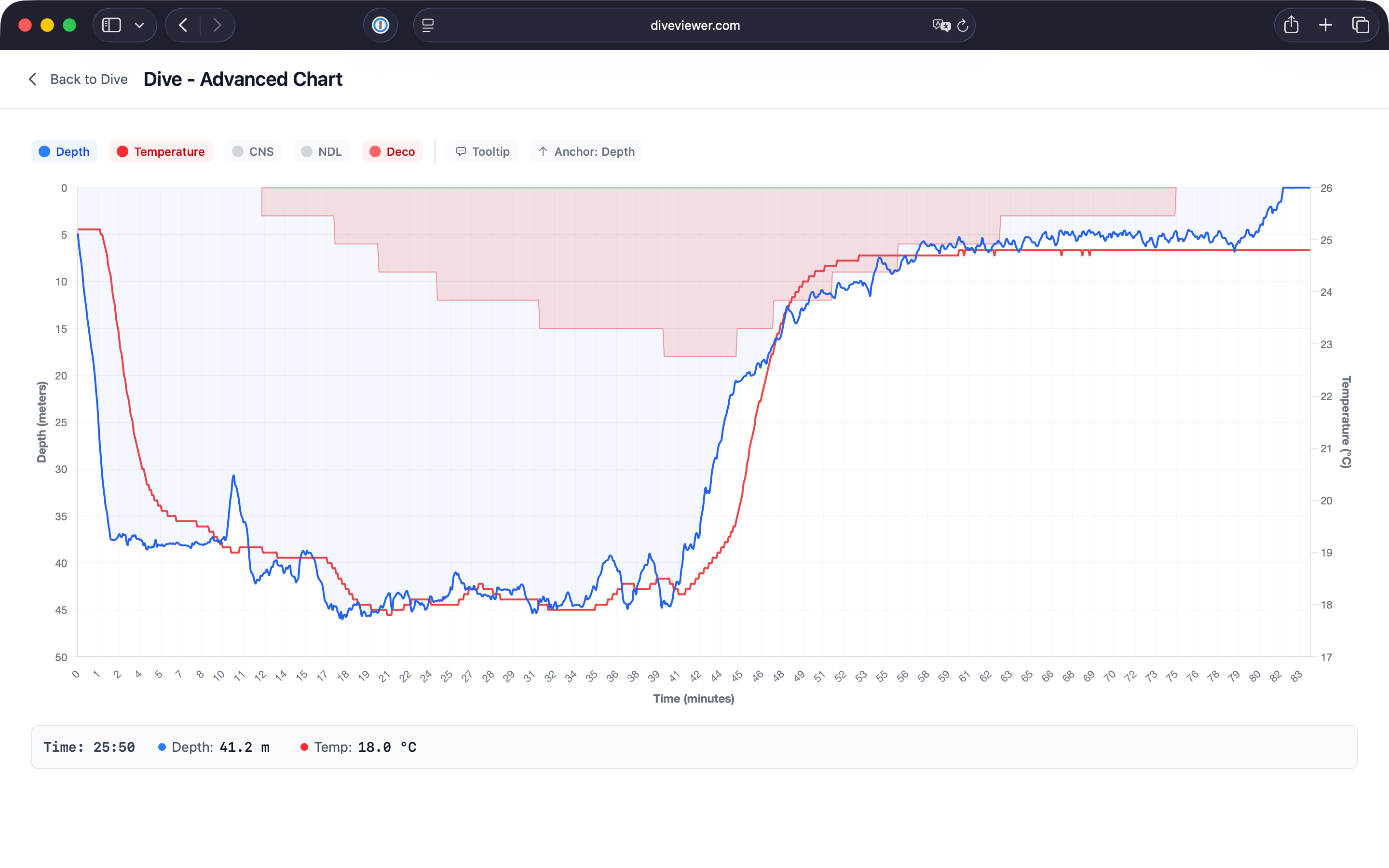
Decompression Visualization
Visualize decompression obligations with the deco overlay. See required stop depths highlighted directly on your dive profile to understand your deco profile throughout the dive.
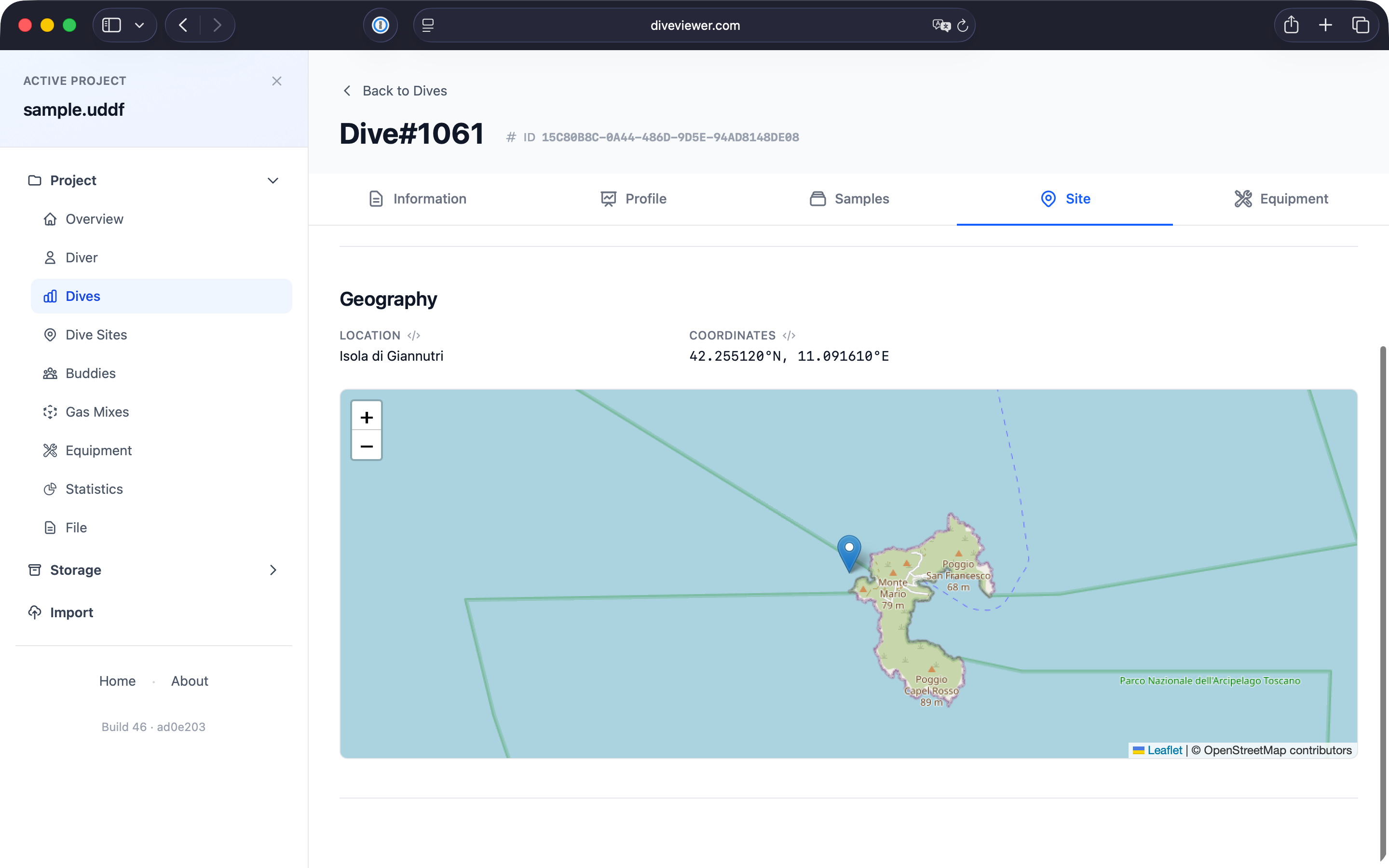
Dive Site Map
View dive site locations with GPS coordinates displayed on an interactive map. Perfect for remembering exactly where your favorite dive spots are located.
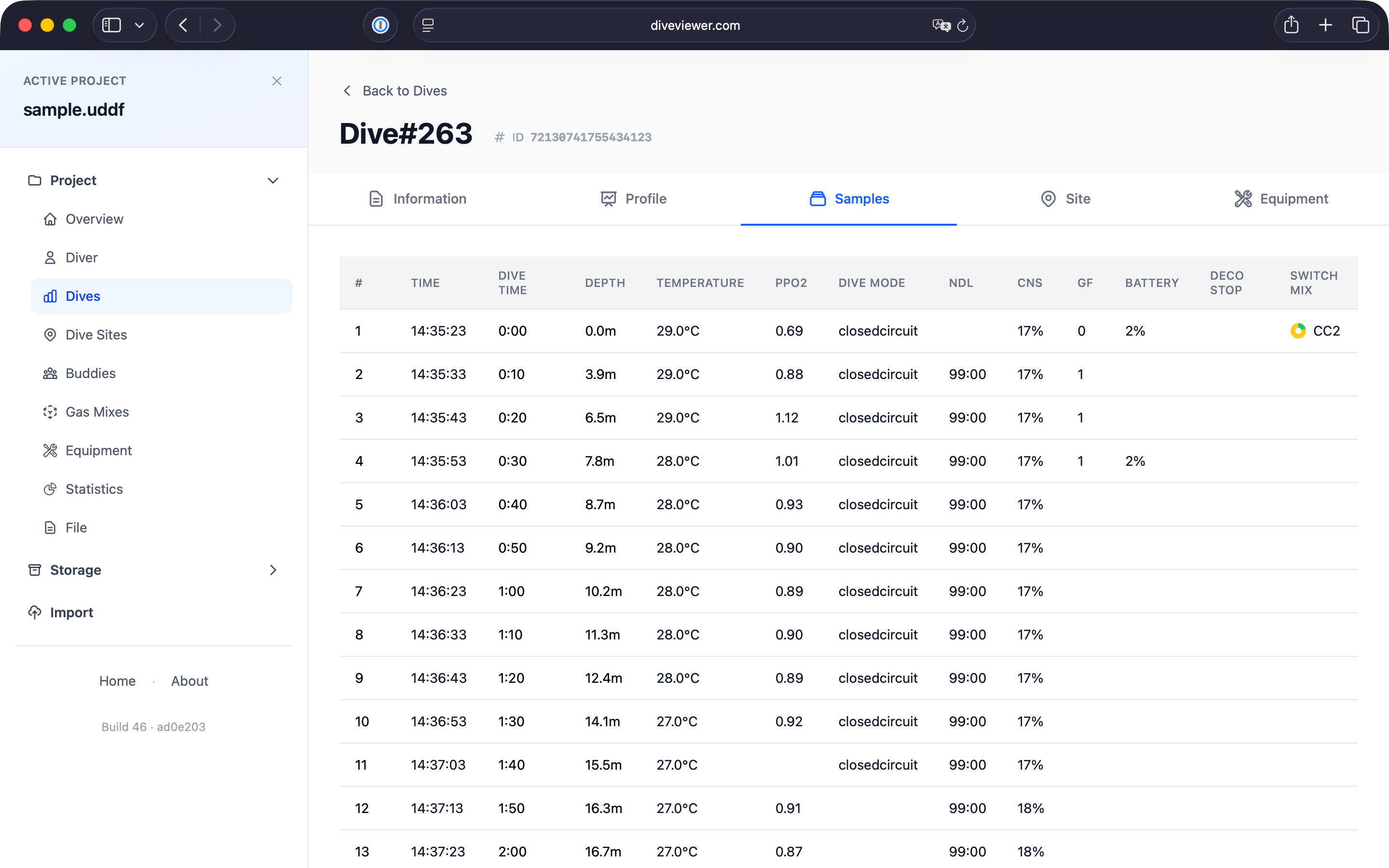
Sample Data
Access raw dive computer data with detailed sample information: time, depth, temperature, PPO2, dive mode, NDL, TTS, CNS, gradient factors, battery level, and gas switches.
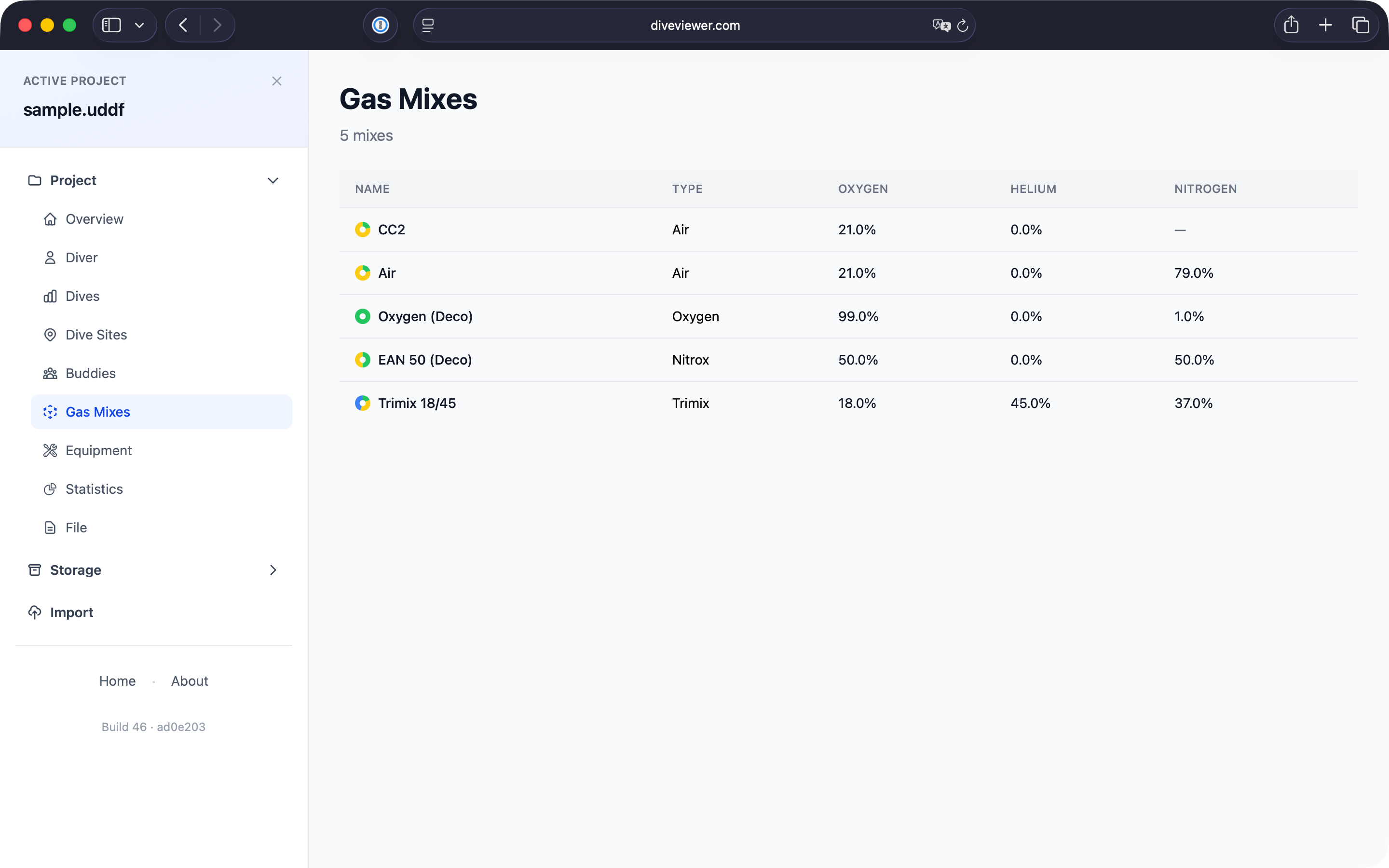
Gas Mixes
Track all your gas mixes with detailed composition breakdown. View gas percentages for each mix, including air, nitrox, trimix, and pure oxygen for decompression.
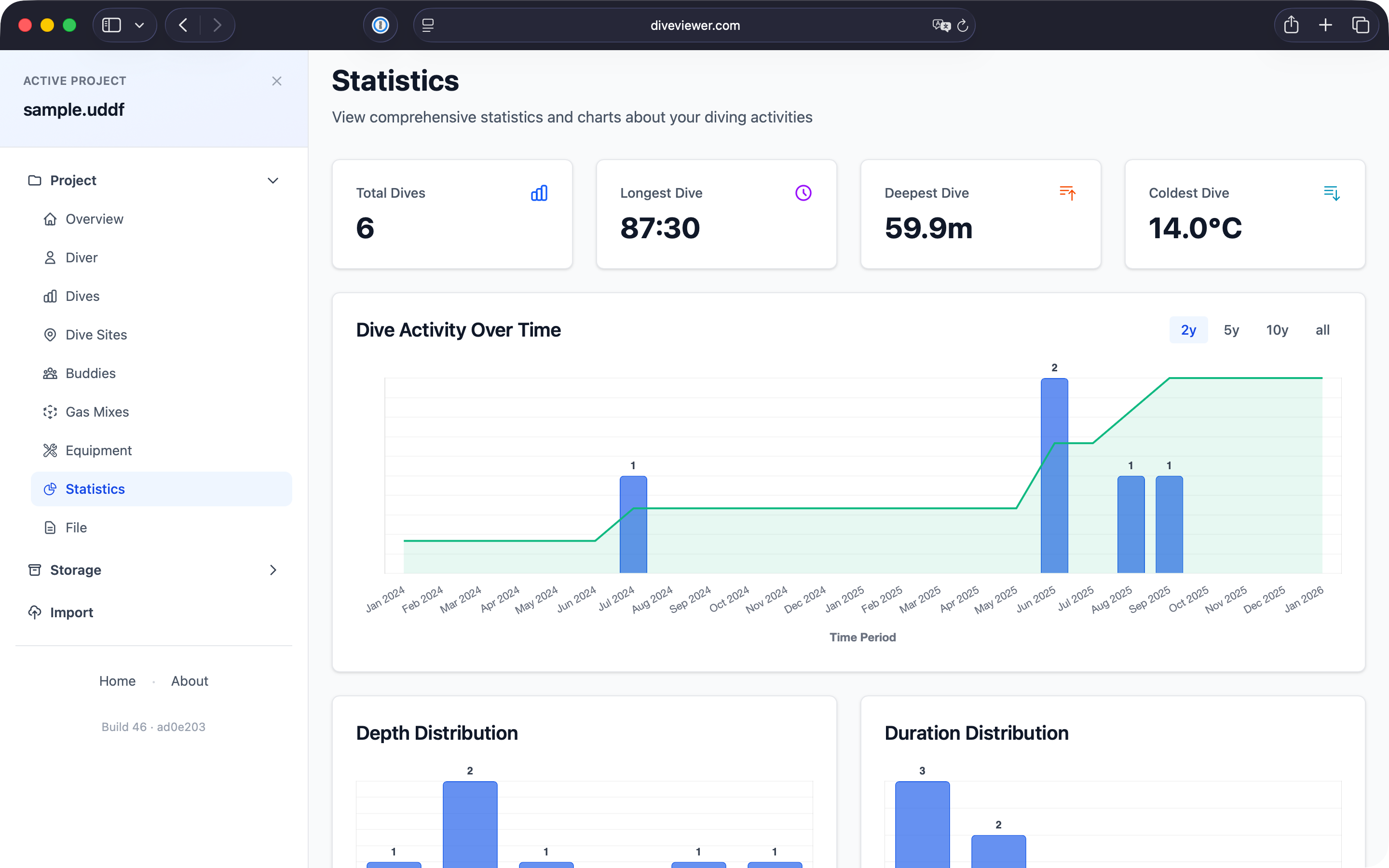
Statistics
Analyze your diving activity with comprehensive statistics and charts. Track your dive activity over time, with interactive charts and distributions.
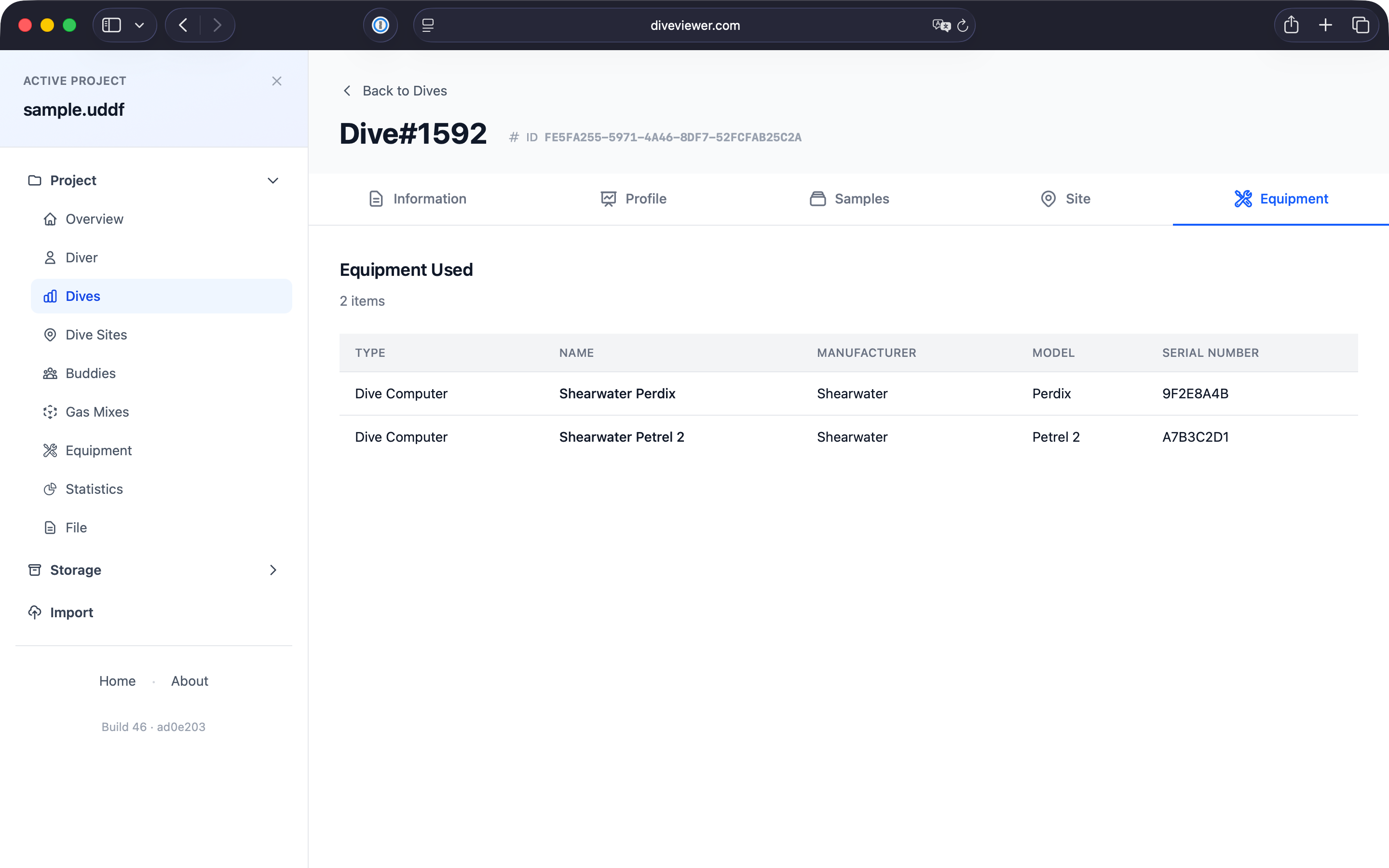
Equipment Tracking
Keep track of equipment used on each dive. View dive computer model, manufacturer, serial number, and other gear details for complete dive documentation.